

Sending your Finished Newsletter
Attaching a list:
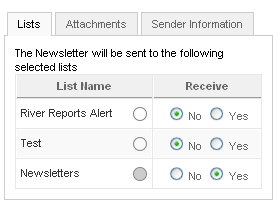
You've inserted all your articles, previewed the newsletter, and it's ready to go. If your newsletter is not already open, open it up. Over on the right you will see some tabs (see below). If your list is not already attached, you'll need to do it now. Otherwise, your newsletter won't go anywhere. You can have several different types of newsletters and even multiple lists of users. Select the correct list. Just click the radio button to yes.
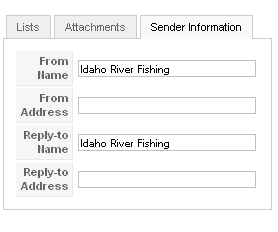
Sender information
Make sure you select the "sender Information" tab and update your email addresses.
Save your document by clicking Apply
Click Preview/Send button again. Note the menu has changed in the upper right. It now looks like the image below.
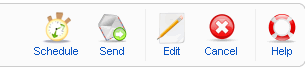
This is the final step. You've got the newsletter the way you want it; you've selected the appropriate list, you've previewed it, and now you're ready to send it. If you're sure, click "Send."
One last window will appear telling you how many users you will send it to. Click send and everyone will receive your newsletter.
Congratulations on your first newsletter! It takes far longer to read through this tutorial than to send a newsletter once you're familiar with how it works.