Page 8 of 9
Importing your Joomla Users into AcyMailing Lists
If you already have registered users on your site, you'll want to import them into your AcyMail user lists. The system keeps these lists separate, but it's easy to import your existing Joomla Users.
- Go to your AcyMailing control panel or navigation under "Components" and click "Users."
- Chances are, you will see all your users for multiple lists (if you have multiple lists). Over on the right, you'll a drop-down menu where you can filter the results based on which list you pick. In this panel you can add new users manually, or delete users. You can filter the names that appear on the page by choosing the list you want to view. (see image below) In this case, however, we don't any to do anything.
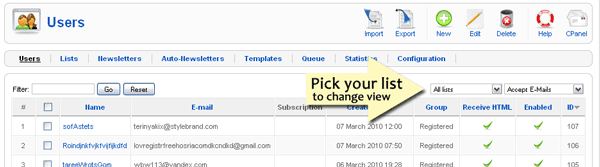
- To import your Joomla Users, just click the "import" button at the top.

- The next screen will allow you to select "Joomla Users" and select the correct list to import into. (see image below)
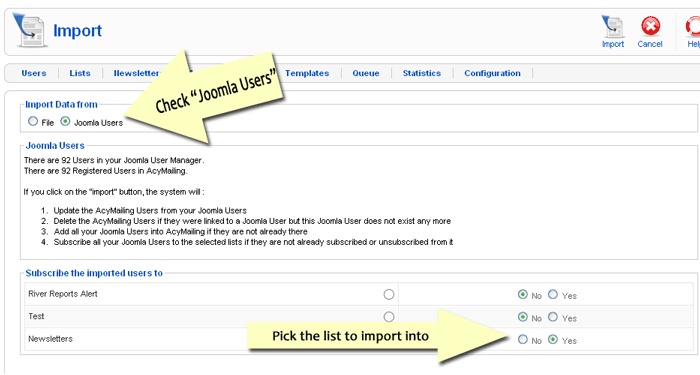
- Once you've made your selections. Click "Import" at the top.
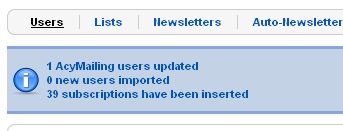
- The next screen will show you the results. In this case, we added 39 more subscriptions and one email address was updated.