

To Create a New Newsletter
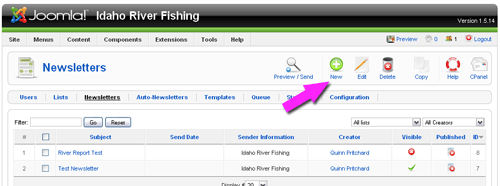
Click the "Newsletter" link. We have already setup a newsletter template for you (found under templates). If you have past newsletters you have sent, they will show up here, in the "Newsletters" section. Typically, you will want people to be able to see past newsletters, but if you don't, you can delete past newsletters here.
To send a new newsletter, click "New" in the upper right.
Your default newsletter template will automatically load. There are some tags we have already put inside your newsletter. Some of these tags automatically put in the user name, date and unsubscribe links. You will use the tag feature to include articles you have already written and have stored on your site. For more information on article management, review our Joomla Article tutorial.
In this tutorial, we are using an example from www.idahoriverfishing.com, an excellent fishing resource for Idaho and the surrounding states.